
Finding a free online RGB to Hex converter can really save time for web developers and graphic designers. Tools like RapidTables let you input red, green, and blue values easily, giving you an instant Hex output along with color previews of commonly used colors. OpenReplay stands out with its fast conversion and user-friendly interface with no ads. For simplicity, Dan’s Tools also provides straightforward RGB to Hex transformations ideal for HTML or CSS needs. If you’re looking for something that stands out visually, Minifier offers live previews showing how colors convert. Overall, these converters are essential for anyone needing quick and accurate color conversions across multiple digital platforms.
Table of Contents
- Overview of RGB and Hex Color Formats
- RapidTables RGB to Hex Converter Features
- OpenReplay RGB to Hex Converter Features
- Dan’s Tools RGB to Hex Converter Features
- Minifier RGB to Hex Converter Features
- ColorDesigner RGB to Hex Converter Features
- LambdaTest RGB to Hex Converter Features
- Wee.tools RGB to Hex Converter Features
- Summary of Common Features in Converters
- Use Cases for RGB to Hex Converters
- Frequently Asked Questions
1. Overview of RGB and Hex Color Formats
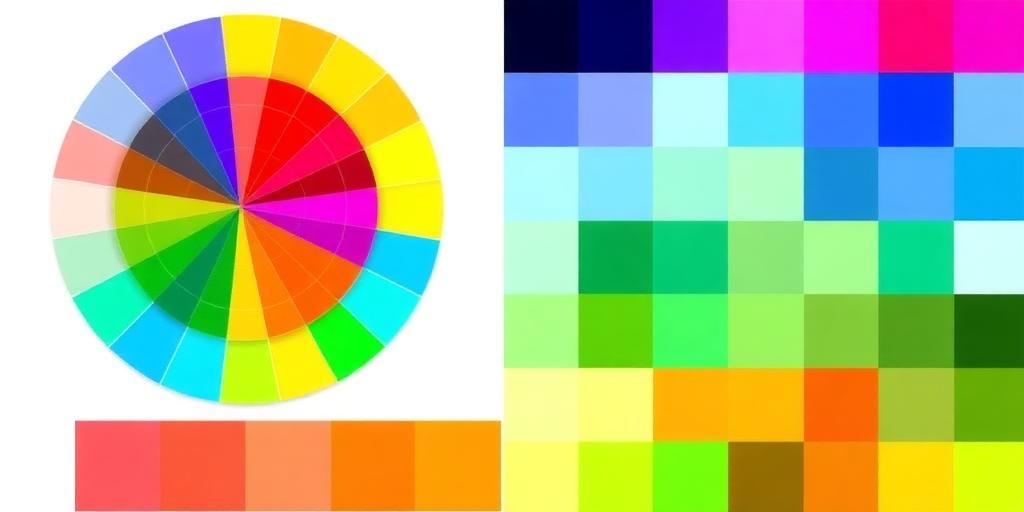
RGB stands for Red, Green, and Blue, and it is a color model primarily used for digital displays. In this model, each of the three color components can have a value ranging from 0 to 255. This range creates over 16 million potential color combinations, making it versatile for various applications. In contrast, Hexadecimal, or Hex, is a base-16 color representation format often favored in web design. A hex color code starts with a ‘#’ sign, followed by six characters, two for red, two for green, and two for blue. For instance, the RGB value (255, 0, 0) translates to #FF0000 in hex, symbolizing pure red. Understanding both RGB and Hex formats is essential for professionals in digital art and web development. While Hex codes are more concise and commonly used in HTML and CSS to define colors, RGB values allow for intuitive color selection in design software. Both formats can be converted back and forth using various tools, catering to the specific needs of users. The choice between RGB and Hex often comes down to the application and personal preference.
2. RapidTables RGB to Hex Converter Features
The RapidTables RGB to Hex Converter offers a simple way to input RGB values, making color conversion easy for everyone. Users can enter red, green, and blue levels ranging from 0 to 255, and the tool instantly provides the corresponding hex value. A handy color preview appears next to the result, allowing for quick visual confirmation of the selected color. The interface is user-friendly, with examples of common colors like Black, White, and Red readily available, enhancing accessibility for all users. Additionally, the tool includes a reverse feature that converts hex back to RGB, which is particularly useful for web developers and graphic designers. No registration or downloads are necessary, making it a quick and efficient resource, especially for those on the go, as it is optimized for mobile use. The clean layout ensures easy navigation, and its educational aspect helps users grasp color concepts better.
3. OpenReplay RGB to Hex Converter Features
The OpenReplay RGB to Hex Converter stands out with its fast and efficient conversion capabilities, allowing users to switch between RGB and HEX formats without any delays. Its user-friendly interface is designed for all skill levels, making it accessible whether you’re a beginner or an experienced designer. One handy feature is the option to copy color codes directly to your clipboard, saving time during projects. Supporting RGBA mode means you can also work with colors that include transparency, which is essential for modern web design. The absence of ads enhances the user experience, ensuring that you can focus solely on your color conversion tasks. The layout is clear and simple, reducing confusion, and making it easy to navigate. Additionally, OpenReplay’s converter is compatible with various devices and screen sizes, which is perfect for those who need to work on the go. This tool is reliable for consistent color communication, making it an invaluable resource for anyone involved in web development, graphic design, or any digital applications.
4. Dan’s Tools RGB to Hex Converter Features
Dan’s Tools RGB to Hex Converter is crafted with simplicity in mind. Users can easily input RGB values ranging from 0 to 255, making it straightforward for anyone to utilize, whether you’re a seasoned web designer or a beginner. Once the values are entered, the converter quickly outputs the corresponding hex code in an easy-to-read format, allowing for swift integration into web design projects. This tool is particularly beneficial for web designers who need quick and accurate color code conversions for HTML and CSS, streamlining their workflow significantly.
What sets Dan’s Tools apart is its focus on the conversion task without unnecessary features cluttering the interface. The design promotes a smooth user experience, with fast loading times that keep you engaged and productive. There’s no need to worry about ads or pop-ups disrupting your work; the clean interface ensures that you can get your color codes without distractions.
Additionally, this converter is an excellent resource for educational purposes, aiding in teaching color theory and helping students understand the relationship between RGB and hex codes. Overall, Dan’s Tools RGB to Hex Converter is a reliable and efficient solution for anyone needing quick color conversions.
5. Minifier RGB to Hex Converter Features
Minifier RGB to Hex Converter stands out with its straightforward interface, allowing users to convert RGB values to HEX color codes seamlessly. This tool offers live previews, enabling users to see their color choices instantly, which is especially helpful for making design decisions. The efficiency of using HEX in web design is emphasized, as it helps reduce file sizes and ensures quicker loading times. Users appreciate the tool’s fast processing, which means no lag during input, greatly enhancing usability. Designed for both amateur and professional designers, it encourages informed design choices by providing helpful tips for selecting color combinations. Additionally, the responsive design makes it accessible on various devices, ensuring that users can convert colors anytime, anywhere, without needing any installation.
6. ColorDesigner RGB to Hex Converter Features
ColorDesigner offers a range of features that make it a standout choice for anyone needing to convert RGB to HEX quickly. This efficient conversion tool minimizes the time spent on color tasks, allowing designers to focus more on creativity. It supports multiple color formats, including RGB, HEX, and HSL, making it versatile for various projects. The user-friendly layout provides quick access to all features, ensuring that users can navigate between different color models with ease.
One of the key features is the live preview, which aids in making color decisions visually. This is particularly helpful for designers exploring color combinations and palettes. Additionally, there is no need for registration or payment, making it accessible for educational purposes in color theory discussions. The responsive design also ensures that the converter is accessible on all devices, from desktops to smartphones. Overall, ColorDesigner serves as a great resource for designers looking to work seamlessly with multiple color formats.
7. LambdaTest RGB to Hex Converter Features
LambdaTest offers a powerful RGB to Hex converter that efficiently and accurately transforms RGB values into HEX format. This tool is designed with both beginners and experienced web developers in mind, providing a simple conversion process that allows for quick and easy color adjustments. Users can input red, green, and blue values ranging from 0 to 255, and the converter will instantly generate the corresponding HEX code, ensuring color consistency across web pages.
One standout feature is the clear explanation of RGB and HEX values, helping users understand the color models they are working with. The absence of ads enhances the user experience, allowing users to focus solely on the conversion without distractions. Additionally, the responsive design ensures that the converter functions seamlessly on both mobile and desktop devices, making it accessible for all users.
The LambdaTest converter is perfect for developers who need reliable color conversion, as it also includes accessibility features designed to accommodate diverse users. With its straightforward interface, anyone can benefit from this tool, whether they are creating digital content or simply looking to explore color options.
8. Wee.tools RGB to Hex Converter Features
The Wee.tools RGB to Hex Converter stands out with its instant conversion feature, providing live color previews for immediate feedback. This allows users to see the color they are working with in real-time, making it easier to decide if it’s the right choice. The user-friendly interface simplifies the process of inputting RGB values, ensuring that even those who are not tech-savvy can navigate it with ease. Moreover, it takes the time to clearly explain the RGB and HEX color models, which is a helpful educational aspect for users who might be new to color coding.
This tool is fast and efficient, catering to users who are often in a hurry. It avoids ads or distractions, allowing users to focus solely on their color conversion task without interruptions. It’s suitable for everyone, from casual users experimenting with colors to professionals like graphic designers and web developers who need quick conversions. The responsive design ensures that it works well on various devices, whether on a desktop or mobile.
The encouragement to experiment with colors thanks to live previews can be particularly useful for creating consistent branding with accurate color codes. Overall, the Wee.tools RGB to Hex Converter is a versatile tool that meets the needs of a wide range of users.
9. Summary of Common Features in Converters

Most free online RGB to HEX converters share several common features that make them user-friendly and efficient. They typically accept RGB values ranging from 0 to 255, ensuring a standardized input format. Once the values are entered, all tools provide output in the HEX format (#RRGGBB), which is consistent across different platforms. The user interfaces are designed to be simple and intuitive, allowing for quick input and conversion, which is essential for users who need fast results.
Additionally, many converters offer extra features like color previews, helping users visualize their selections before finalizing. Some tools also provide reverse conversions from HEX back to RGB, adding versatility. Instant conversion capabilities are a key aspect, minimizing wait times and enhancing user experience. Many converters are designed to be responsive, ensuring usability across various devices, from desktops to smartphones.
Another advantage is that these tools do not require installations, making them easily accessible for anyone needing to convert colors on-the-go. Most converters are ad-free, offering a clean and focused experience without distractions. Moreover, some tools support educational purposes, helping users learn about color theory while they convert. Lastly, a variety of color formats supported by certain tools increases their usability for different projects.
| Converter Name | Input Range | Output Format | User Interface | Additional Features |
|---|---|---|---|---|
| RapidTables | RGB values (0-255) | #RRGGBB | Simple and intuitive | Color previews, Hex to RGB |
| OpenReplay | RGB values (0-255) | #RRGGBB | User-friendly interface | Color copying, supports RGBA |
| Dan’s Tools | RGB values (0-255) | #RRGGBB | Straightforward design | N/A |
| Minifier | RGB values (0-255) | #RRGGBB | Easy to use | Live previews, highlights HEX importance |
| ColorDesigner | RGB values (0-255) | #RRGGBB | User-friendly layout | Supports multiple formats |
| LambdaTest | RGB values (0-255) | #RRGGBB | Simple conversion process | Clear explanations provided |
| Wee.tools | RGB values (0-255) | #RRGGBB | User-friendly interface | Explains RGB and HEX clearly |
10. Use Cases for RGB to Hex Converters
RGB to Hex converters are vital tools used in various fields, primarily in web development. In HTML and CSS, accurate color representation enhances user experience and design quality. Graphic designers often convert RGB values from their design software to HEX codes, ensuring that their creations translate seamlessly to digital platforms. Mobile app developers also rely on these converters to maintain consistent color standards across different operating systems and devices.
In digital marketing, brand integrity is crucial. RGB to Hex converters help marketers ensure that brand colors remain uniform across all online assets, fostering brand recognition and trust. Additionally, these tools are beneficial for creating color palettes. They allow designers to select harmonious colors for branding materials and marketing campaigns.
In educational settings, RGB to Hex converters serve as practical tools for teaching color theory and design principles. They allow students to grasp the relationship between color models quickly. Designers appreciate the convenience of making rapid adjustments in their projects, enhancing efficiency and creativity.
These converters also play a role in optimizing images for web use. By converting colors to HEX, designers can minimize file sizes, which is crucial for faster loading times. Collaboration between designers and developers is facilitated through standardized color formats, making it easier to share work and ideas.
Lastly, hobbyists exploring digital art and design find these converters incredibly useful. They enhance creative projects, allowing for precise color choices and experimentation.
- Essential for web development, especially in HTML/CSS to define colors accurately.
- Graphic design benefits from converting colors from design software to web-ready formats.
- Mobile app development relies on consistent color representation across platforms.
- Digital marketing maintains brand color integrity in all online assets.
- Useful for creating color palettes for branding and marketing materials.
- Helpful in educational settings for teaching color theory and design principles.
- Allows for quick adjustments in design projects without hassle.
- Assists in optimizing images for web use by minimizing file sizes through color codes.
- Facilitates collaboration among designers and developers by standardizing color formats.
- Great for hobbyists exploring digital art and design, enhancing creative projects.
Frequently Asked Questions
1. How do I use the RGB to Hex converter?
To use the RGB to Hex converter, simply enter the RGB values (like 255, 0, 0 for red) into the designated fields. After that, click the convert button, and the Hex code will appear.
2. What are RGB and Hex color codes?
RGB stands for Red, Green, and Blue, which are the primary colors used in digital images. Hex is a six-digit code that represents the same colors in a way that’s easier for web design and programming.
3. Can I convert multiple colors at once?
Most online converters only handle one color at a time. You’ll need to input each RGB value separately to get the Hex code for each color.
4. Is the converter accurate?
Yes, a good RGB to Hex converter provides accurate results. However, it’s always a good idea to double-check by using different tools or methods for important projects.
5. What can I use the Hex codes for?
Hex codes are widely used in web design, graphic design, and any situation where specific colors are needed in digital formats, like CSS for websites.
TL;DR This blog post covers free online RGB to HEX converters, highlighting their features and use cases. It starts with an overview of RGB and HEX color formats, followed by details on various converters like RapidTables, OpenReplay, and Dan’s Tools. Each tool offers simple input options, instant conversion, and user-friendly interfaces, making them great for web designers and developers. The summary emphasizes common features among converters and outlines practical applications in web and graphic design, digital marketing, and mobile app development.